Sell without slowing down
Move from a walk-in quick sale to a detailed invoice without changing systems. Keep payments, receipts, credit notes, and customer history connected.
Quick saleInvoicesPayments
 RetailWave
Retail, without the busywork
RetailWave brings sales, stock, invoices, purchasing, customers, teams, and reporting together—so you always know what to do next.
Guided setup · No credit card to explore · Built for growing teams
One connected system for
Your business should not feel like five disconnected apps and a spreadsheet. RetailWave keeps each sale, stock movement, payment, purchase, and report part of the same story.
Move from a walk-in quick sale to a detailed invoice without changing systems. Keep payments, receipts, credit notes, and customer history connected.
Track products, categories, stock levels, and reorder points across your branches. Import your catalogue in bulk when it is time to grow.
Organise vendors and purchase orders alongside expenses, so replenishment and cash outflow make sense in the same place.
See sales, stock, profit and loss, cash flow, and financial reports without rebuilding the story in spreadsheets.
RetailWave turns setup into a short, visible path. Add your branch, catalogue, payment methods, and first customer—then make the first sale with confidence.
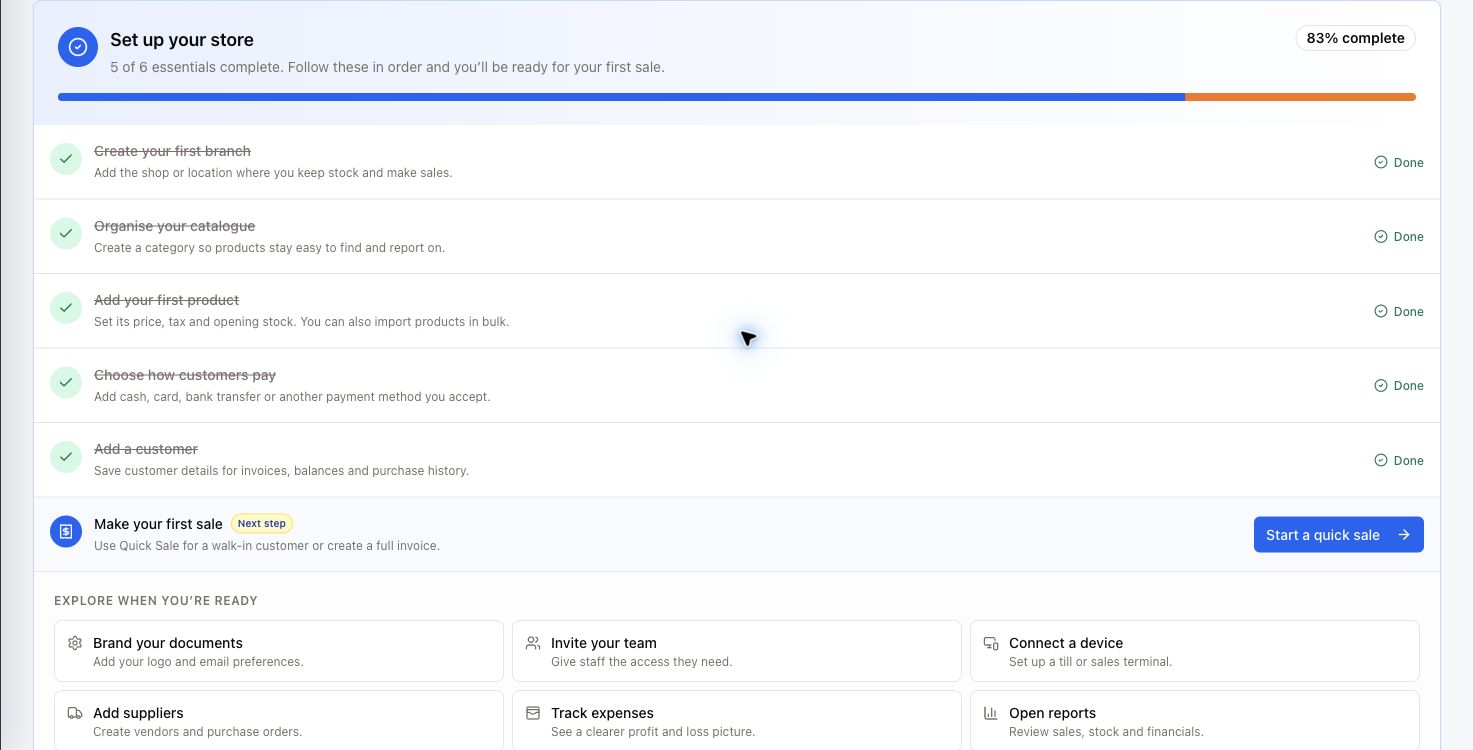
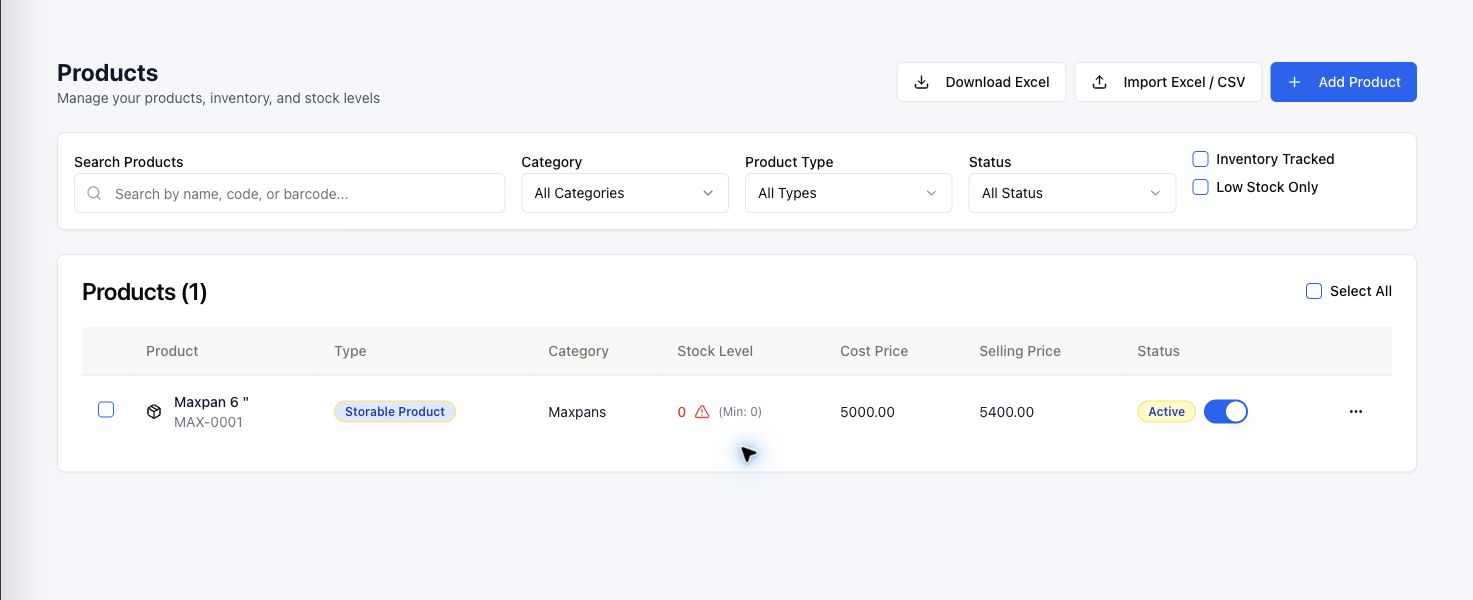
Search what you need, filter the noise, and see stock status at a glance. The same straightforward patterns carry through invoices, purchasing, customers, staff, and reports.
Explore RetailWave freeThe RetailWave sales app saves transactions on the device first and syncs when the connection returns. Your team keeps selling; your records catch up automatically.
Give the counter, office, and leadership one source of truth—without giving everyone the same job.
Quick sales, customers, payments, and receipts stay within easy reach.
Manage products, suppliers, orders, branches, staff, and connected devices.
Follow sales, expenses, profit, cash flow, stock, and commissions as they change.
Need something more specific? Start a free workspace and explore the full merchant guide inside RetailWave.
RetailWave is designed for growing retailers, wholesalers, service businesses, and multi-branch operators that want sales, stock, purchasing, customers, and reporting in one clear system.
Yes. You can organise branches, staff access, connected sales devices, products, and company-wide reporting from one merchant workspace.
The RetailWave sales app is built for offline-first selling. Transactions can be saved on the device and synced when the connection returns, while the web workspace keeps management and reporting clear.
RetailWave supports full invoicing workflows, including payments, credit notes, debit notes, refunds, and regional tax integrations available for supported markets.
The guided setup walks you through a branch, catalogue, products, payment methods, customers, and your first sale. You can also import products from Excel or CSV.
Set up your workspace, add your first product, and see how connected retail feels.
Start your free trial